How to Operate a Podiatry Chair in a Mobile Medical Van

Mobile medical podiatry depends on equipment that is safe, adjustable, and easy to operate. In this video, you’ll learn how to use the podiatry chair’s controls, memory positions, adjustments, rotation, and safety features so you can operate it confidently inside a mobile medical van.

Play

For more information watch:

Key Moments in this Video

1
How Do You Operate the Podiatry Chair Controls?
The main movements of the podiatry chair are operated using the foot pedal controls. Starting on the left, the controls raise and lower the chair height, adjust the back, and move the seat up and down. The M1 and M2 buttons are used for memorized chair positions.
29
How Do You Set and Use the M1 and M2 Memory Positions?
To adjust the M1 and M2 positions, set the back, seat, and chair height to the desired position. Press AUT and M1 and hold for five seconds to save the first position, or AUT and M2 to save the second. Once set, pressing M1 or M2 automatically moves the chair to the memorized position. The AUT button returns the chair to the end-of-treatment position.
70
How Do You Adjust the Headrest, Footrest, and Rotation?
The END pedal button automatically returns the chair to its zero position, with both the chair height and minimum height. To adjust the headrest, loosen the knob, move it to the desired height, and retighten it. The footrest can be adjusted using its lever. The chair can also rotate 180 degrees, 90 degrees to the left and 90 degrees to the right, and is secured by tightening the rotation handle clockwise.
120
How Do You Safely Operate a Podiatry Chair in a Mobile Medical Van?
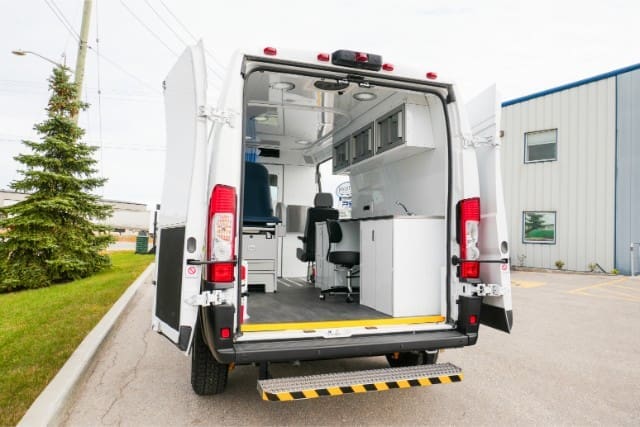
Depending on the van layout and available space, make sure the chair does not hit a wall or anything nearby when rotating or moving. Patient and staff safety should always be the priority. The podiatry chair has a maximum weight of 250 kilograms and should only seat one person at a time. Always inform the patient when you are moving the chair.
150
How Do You Care for and Power the Podiatry Chair?
If a patient is left alone in the chair for a short time, keep it at its lowest setting to reduce risk. Follow the owner’s manual for proper procedures and chair care. Clean the chair using a cloth, water, and mild neutral soap. Because this is a powered chair, make sure power is running to the back of the van. For additional questions about powering the unit, refer to the mobile unit power video or reach out for support.
Our Experts
Cody at MoveMobility
Cody

Frequently Asked Questions:

What features should a podiatry chair have in a mobile medical van?

A mobile podiatry chair should support safe positioning, adjustable height, back and seat movement, memory settings, headrest and footrest adjustments, and controlled rotation inside the available van space.

Can a podiatry chair be used safely inside a mobile medical unit?

Yes. Safe use depends on the available space, proper chair positioning, controlled movement, weight limits, and making sure the chair does not contact walls or nearby equipment while operating.

Why are memory positions useful on a podiatry chair?

Memory positions allow the chair to return to preset treatment positions without manually adjusting the height, back, and seat each time. This can make repeated positioning faster and more consistent.

How should a podiatry chair be cleaned and maintained?

The chair should be cleaned according to the owner’s manual using appropriate materials. In this video, the recommended basic cleaning method is a cloth, water, and mild neutral soap.

What should you consider when adding podiatry equipment to a mobile medical van?

Consider available space, patient access, chair movement, rotation clearance, power requirements, safety, and how the equipment fits into the overall mobile healthcare workflow.

MoveMobility logo with green and grey curves and text

Connect with one of our Mobility Experts

What happens if you submit the form?

We understand that you don’t want to receive multiple phone calls, emails or spam. You just want to speak to a commercial mobility specialist who can answer your questions about accessible and mobile medical vans.

If you submit the form or request more information from us, here’s what will happen:

  • Within one business day, you’ll receive a phone call from one of our commercial mobility specialists at the phone number you provide. Click here to Meet the Team.
  • If we miss you on the phone, you’ll receive a voice message to call us back. You’ll also get an email to let you know we tried to connect but missed you.
  • Once we’ve connected, your commercial mobility specialist will have a few questions for you to understand what type of vehicle you’re looking for help with.
 
If at any point during the process you feel we’re just not the right fit for your community or organization, just let us know. 


MoveMobility logo

Request More Information

Let us know what you’re looking for help with and we’ll be in touch.

Play